
I hope you enjoy reading this blog post.

If you want my team to just do your marketing for you, click here.


Boost Efficiency with Preschool Enrollment Software

Published On: 07/04/2024By 7.7 min readCategories: Daycare Business, Preschool MarketingViews: 1013

In today’s fast-paced world, daycare centers face challenges in managing their operations efficiently while providing quality care for children. One of the most time-consuming aspects of running a childcare center is the enrollment process. However, there’s a game-changing solution that’s transforming the industry: preschool enrollment software.

This powerful tool not only streamlines administrative tasks but also enhances parent communication and improves overall center management. This blog post will explore how implementing preschool enrollment software can boost your center’s efficiency, attract more families, and ultimately grow your enrollments.

1. Simplifying the Preschool Enrollment Process

The Traditional Enrollment Headache

Remember the days of shuffling through stacks of paper forms, deciphering handwritten information, and manually entering data into spreadsheets? For many daycare centers, this is still the reality of their enrollment process. It’s time-consuming, prone to errors, and frankly, a bit of a nightmare for both staff and parents.

Enter Preschool Enrollment Software

Imagine a world where parents can submit all the necessary information online at their convenience. That’s the power of preschool enrollment software. Here’s how it simplifies the process:

  • Online Forms: Parents can fill out online admission forms from the comfort of their homes, reducing paperwork and eliminating the need for in-person visits just to complete documentation.

  • Document Upload: Essential documents like immunization records and birth certificates can be easily uploaded and stored securely within the system.

  • Automated Data Entry: Say goodbye to manual data entry! The software automatically populates your database with the information provided by parents.

  • Progress Tracking: Both staff and parents can track the enrollment progress, ensuring all necessary steps are completed

By simplifying these processes, you’ll save countless hours of administrative work and reduce the likelihood of errors. Plus, parents will appreciate the convenience, making your center more attractive to prospective families.

2. Enhancing Communication with Parents

Building Strong Relationships from Start

Effective communication is the foundation of a successful daycare center. Preschool enrollment software goes beyond just managing paperwork – it opens up new channels for engaging with parents.

Features That Foster Connection

  • Automated Updates: Keep parents informed about their application status with automatic email or text notifications.

  • Secure Messaging: Implement a built-in messaging system for direct communication between staff and parents.

  • Parent Portals: Provide a dedicated space where parents can access important information, update their details, and stay connected with your center.

  • Digital Tours & Information: Showcase your facility and programs through virtual tours and downloadable resources integrated into the software.

With these communication tools, you’ll create a positive first impression and set the stage for long-lasting relationships with families.

3. Streamlining Waitlist Management

Turning Waiting into Winning

For popular daycare centers, managing a waitlist can be a complex task. Preschool enrollment software offers features specifically designed to make this process efficient and fair.

Waitlist Wonders

  • Automated Ranking: Set criteria for prioritizing waitlist entries based on factors like submission date, sibling status, or specific needs.

  • Real-time Updates: Keep waitlist information current with automatic adjustments as spots become available or families’ circumstances change.

  • Transparent Communication: Provide families with accurate estimates of their position on the waitlist, reducing uncertainty and frustration.

  • Easy Conversion: Quickly convert waitlisted families to enrolled status when spots open up, with all their information already in the system.

By leveraging these features, you will turn your enrollment process into a seamless, transparent, and family-friendly experience.

4. Improving Financial Management

Dollars and Sense in Childcare

Managing finances is a critical aspect of running a successful daycare center. Preschool enrollment software can significantly streamline this process, making it easier to track payments, generate invoices, and maintain accurate financial records.

Financial Features That Make a Difference

  • Online Payments: Allow parents to pay enrollment fees, deposits, and tuition through secure online portals.

  • Automated Invoicing: Generate and send invoices automatically, reducing manual work and ensuring timely billing.

  • Payment Tracking: Keep tabs on outstanding balances and payment histories with easy-to-use dashboards.

  • Financial Reporting: Generate comprehensive reports to analyze your center’s financial health and make informed decisions.

By integrating these financial tools into your enrollment process, you’ll reduce late payments, minimize billing errors, and gain valuable insights into your center’s financial performance.

5. Ensuring Compliance and Security

Staying on the Right Side of Regulations

In the childcare industry, compliance with local and state regulations is non-negotiable. Preschool enrollment software can help ensure that you’re always up to date and in line with the latest requirements.

Compliance Made Easy

  • Digital Record-Keeping: Store all necessary documentation securely in one place, making it easy to access during inspections or audits.

  • Automated Reminders: Set up alerts for expiring documents, upcoming renewals, or required updates to stay ahead of compliance deadlines.

  • Customizable Forms: Easily update your enrollment forms to reflect changes in regulations or center policies.

  • Data Security: Protect sensitive information with robust encryption and secure storage, giving parents peace of mind about their children’s data.

By prioritizing compliance and security through your enrollment software, you’ll build trust with families and reduce the risk of costly violations or data breaches.

6. Enhancing Staff Efficiency

Empowering Your Team

Your staff is the backbone of your daycare and giving them the right tools can dramatically improve their efficiency and job satisfaction.

Staff-Friendly Features

  • Centralized Information: Provide easy access to all necessary enrollment information, reducing time spent searching for documents or details.

  • Task Management: Assign and track enrollment-related tasks to ensure nothing falls through the cracks.

  • Automated Workflows: Set up processes that guide staff through each step of the enrollment journey, reducing errors and inconsistencies.

  • Mobile Access: Allow staff to access important information on-the-go, which is perfect for conducting tours or answering parent questions.

By implementing these features, you’ll free up your staff’s time to focus on what really matters – providing exceptional care and education for the children.

7. Data-Driven Decision Making

Harnessing the Power of Information

One of the often-overlooked benefits of childcare enrollment software is the wealth of data it provides. This information can be invaluable in making informed decisions about your center’s operations and enrollment growth.

Insights That Drive Success

  • Enrollment Trends: Analyze patterns in enrollment to better predict busy periods and plan for staffing needs.

  • Program Popularity: Identify which programs or age groups are in the highest demand to adjust your marketing strategies.

  • Conversion Rates: Track how many inquiries turn into enrollments to refine your marketing and follow-up processes.

  • Retention Analysis: Understand factors that contribute to long-term family retention and use this information to improve your services.

By leveraging these data insights, you can make strategic decisions that will help your center grow and thrive in a competitive market.

8. Improving Marketing and Outreach

Attracting More Families to Your Center

While daycare enrollment software primarily focuses on managing the enrollment process, it can also be a powerful tool for marketing your center and attracting new families.

Marketing Features That Make a Difference

  • Lead Capture: Integrate your software with your website to capture inquiries and automatically nurture leads.

  • Referral Tracking: Implement a system to track and reward parent referrals, encouraging word-of-mouth marketing.

  • Event Management: Organize and promote open houses or information sessions directly through the software.

  • Testimonial Collection: Easily gather and showcase parent testimonials to build trust with prospective families.

By using top-notch marketing features, you can create a steady stream of interested families and maintain a healthy enrollment pipeline.

9. Adapting to Changing Times

Staying Flexible in an Unpredictable World

Recent global events have highlighted the importance of flexibility and adaptability in the childcare industry. Preschool enrollment software can help your center pivot quickly when faced with unexpected challenges.

Features for Flexibility

  • Virtual Tours: Offer online tours and information sessions when in-person visits aren’t possible.

  • Health Screening: Integrate health questionnaires or check-in processes to ensure the safety of children and staff.

  • Capacity Management: Easily adjust your center’s capacity and class sizes to comply with changing regulations.

  • Remote Enrollment: Complete the entire enrollment process remotely when necessary, ensuring continuity in your operations.

By embracing these adaptive features, you’ll position your center as a forward-thinking, resilient option for families in your community.

Choosing the Right Preschool Enrollment Software

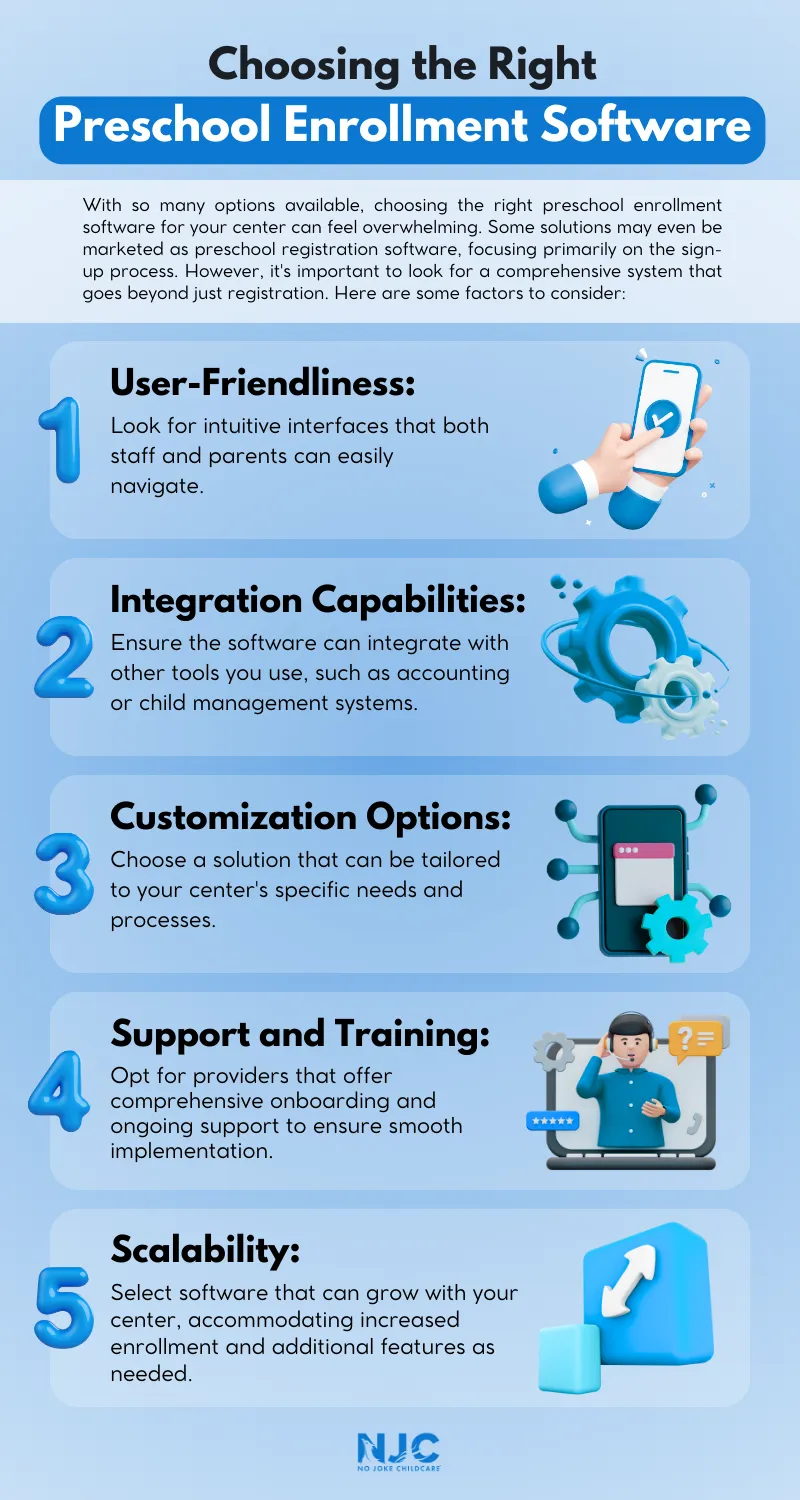
With so many options available, choosing the right preschool enrollment software for your center can feel overwhelming. Some solutions may even be marketed as preschool registration software, focusing primarily on the sign-up process. However, it’s important to look for a comprehensive system that goes beyond just registration. Here are some factors to consider:

  • User-Friendliness: Look for intuitive interfaces that both staff and parents can easily navigate.

  • Integration Capabilities: Ensure the software can integrate with other tools you use, such as accounting or child management systems.
  • Customization Options: Choose a solution that can be tailored to your center’s specific needs and processes.

  • Support and Training: Opt for providers that offer comprehensive onboarding and ongoing support to ensure smooth implementation.

  • Scalability: Select software that can grow with your center, accommodating increased enrollment and additional features as needed.

By carefully evaluating your options and choosing a solution that aligns with your center’s goals and workflows, you’ll set yourself up for long-term success.
preschool enrollment software

Conclusion

Implementing preschool enrollment software can revolutionize your daycare center’s operations, boosting efficiency, improving parent satisfaction, and driving growth. By streamlining processes, enhancing communication, and providing valuable insights, this powerful tool can help your center thrive in today’s competitive childcare landscape.

Schedule a free strategy call today to learn how our marketing solutions can transform your center’s efficiency and help you attract more families.

Do you want
more traffic?

Stop wasting money and unlock the hidden potential of your advertising.

Are you using Google Ads

Try our new free ads grader?

Boost your childcare center's ROI with Michael Tasner, Founder of No Joke Childcare. With his extensive experience and expertise in childcare marketing, Michael Tasner offers innovative strategies tailored to the unique needs of your center. From web 3.0 marketing to social media strategies, he'll guide you to achieve maximum visibility and generate quality leads. Don't miss out on this opportunity to supercharge your marketing efforts and position your center for success.

About Michael Tasner

Hey, I'm Michael Tasner. I'm determined to make your childcare center grow. My only question is, will it be yours?

Categories
Published On: 07/04/20247.7 min readViews: 1013

In today’s fast-paced world, daycare centers face challenges in managing their operations efficiently while providing quality care for children. One of the most time-consuming aspects of running a childcare center is the enrollment process. However, there’s a game-changing solution that’s transforming the industry: preschool enrollment software.

This powerful tool not only streamlines administrative tasks but also enhances parent communication and improves overall center management. This blog post will explore how implementing preschool enrollment software can boost your center’s efficiency, attract more families, and ultimately grow your enrollments.

1. Simplifying the Preschool Enrollment Process

The Traditional Enrollment Headache

Remember the days of shuffling through stacks of paper forms, deciphering handwritten information, and manually entering data into spreadsheets? For many daycare centers, this is still the reality of their enrollment process. It’s time-consuming, prone to errors, and frankly, a bit of a nightmare for both staff and parents.

Enter Preschool Enrollment Software

Imagine a world where parents can submit all the necessary information online at their convenience. That’s the power of preschool enrollment software. Here’s how it simplifies the process:

  • Online Forms: Parents can fill out online admission forms from the comfort of their homes, reducing paperwork and eliminating the need for in-person visits just to complete documentation.

  • Document Upload: Essential documents like immunization records and birth certificates can be easily uploaded and stored securely within the system.

  • Automated Data Entry: Say goodbye to manual data entry! The software automatically populates your database with the information provided by parents.

  • Progress Tracking: Both staff and parents can track the enrollment progress, ensuring all necessary steps are completed

By simplifying these processes, you’ll save countless hours of administrative work and reduce the likelihood of errors. Plus, parents will appreciate the convenience, making your center more attractive to prospective families.

2. Enhancing Communication with Parents

Building Strong Relationships from Start

Effective communication is the foundation of a successful daycare center. Preschool enrollment software goes beyond just managing paperwork – it opens up new channels for engaging with parents.

Features That Foster Connection

  • Automated Updates: Keep parents informed about their application status with automatic email or text notifications.

  • Secure Messaging: Implement a built-in messaging system for direct communication between staff and parents.

  • Parent Portals: Provide a dedicated space where parents can access important information, update their details, and stay connected with your center.

  • Digital Tours & Information: Showcase your facility and programs through virtual tours and downloadable resources integrated into the software.

With these communication tools, you’ll create a positive first impression and set the stage for long-lasting relationships with families.

3. Streamlining Waitlist Management

Turning Waiting into Winning

For popular daycare centers, managing a waitlist can be a complex task. Preschool enrollment software offers features specifically designed to make this process efficient and fair.

Waitlist Wonders

  • Automated Ranking: Set criteria for prioritizing waitlist entries based on factors like submission date, sibling status, or specific needs.

  • Real-time Updates: Keep waitlist information current with automatic adjustments as spots become available or families’ circumstances change.

  • Transparent Communication: Provide families with accurate estimates of their position on the waitlist, reducing uncertainty and frustration.

  • Easy Conversion: Quickly convert waitlisted families to enrolled status when spots open up, with all their information already in the system.

By leveraging these features, you will turn your enrollment process into a seamless, transparent, and family-friendly experience.

4. Improving Financial Management

Dollars and Sense in Childcare

Managing finances is a critical aspect of running a successful daycare center. Preschool enrollment software can significantly streamline this process, making it easier to track payments, generate invoices, and maintain accurate financial records.

Financial Features That Make a Difference

  • Online Payments: Allow parents to pay enrollment fees, deposits, and tuition through secure online portals.

  • Automated Invoicing: Generate and send invoices automatically, reducing manual work and ensuring timely billing.

  • Payment Tracking: Keep tabs on outstanding balances and payment histories with easy-to-use dashboards.

  • Financial Reporting: Generate comprehensive reports to analyze your center’s financial health and make informed decisions.

By integrating these financial tools into your enrollment process, you’ll reduce late payments, minimize billing errors, and gain valuable insights into your center’s financial performance.

5. Ensuring Compliance and Security

Staying on the Right Side of Regulations

In the childcare industry, compliance with local and state regulations is non-negotiable. Preschool enrollment software can help ensure that you’re always up to date and in line with the latest requirements.

Compliance Made Easy

  • Digital Record-Keeping: Store all necessary documentation securely in one place, making it easy to access during inspections or audits.

  • Automated Reminders: Set up alerts for expiring documents, upcoming renewals, or required updates to stay ahead of compliance deadlines.

  • Customizable Forms: Easily update your enrollment forms to reflect changes in regulations or center policies.

  • Data Security: Protect sensitive information with robust encryption and secure storage, giving parents peace of mind about their children’s data.

By prioritizing compliance and security through your enrollment software, you’ll build trust with families and reduce the risk of costly violations or data breaches.

6. Enhancing Staff Efficiency

Empowering Your Team

Your staff is the backbone of your daycare and giving them the right tools can dramatically improve their efficiency and job satisfaction.

Staff-Friendly Features

  • Centralized Information: Provide easy access to all necessary enrollment information, reducing time spent searching for documents or details.

  • Task Management: Assign and track enrollment-related tasks to ensure nothing falls through the cracks.

  • Automated Workflows: Set up processes that guide staff through each step of the enrollment journey, reducing errors and inconsistencies.

  • Mobile Access: Allow staff to access important information on-the-go, which is perfect for conducting tours or answering parent questions.

By implementing these features, you’ll free up your staff’s time to focus on what really matters – providing exceptional care and education for the children.

7. Data-Driven Decision Making

Harnessing the Power of Information

One of the often-overlooked benefits of childcare enrollment software is the wealth of data it provides. This information can be invaluable in making informed decisions about your center’s operations and enrollment growth.

Insights That Drive Success

  • Enrollment Trends: Analyze patterns in enrollment to better predict busy periods and plan for staffing needs.

  • Program Popularity: Identify which programs or age groups are in the highest demand to adjust your marketing strategies.

  • Conversion Rates: Track how many inquiries turn into enrollments to refine your marketing and follow-up processes.

  • Retention Analysis: Understand factors that contribute to long-term family retention and use this information to improve your services.

By leveraging these data insights, you can make strategic decisions that will help your center grow and thrive in a competitive market.

8. Improving Marketing and Outreach

Attracting More Families to Your Center

While daycare enrollment software primarily focuses on managing the enrollment process, it can also be a powerful tool for marketing your center and attracting new families.

Marketing Features That Make a Difference

  • Lead Capture: Integrate your software with your website to capture inquiries and automatically nurture leads.

  • Referral Tracking: Implement a system to track and reward parent referrals, encouraging word-of-mouth marketing.

  • Event Management: Organize and promote open houses or information sessions directly through the software.

  • Testimonial Collection: Easily gather and showcase parent testimonials to build trust with prospective families.

By using top-notch marketing features, you can create a steady stream of interested families and maintain a healthy enrollment pipeline.

9. Adapting to Changing Times

Staying Flexible in an Unpredictable World

Recent global events have highlighted the importance of flexibility and adaptability in the childcare industry. Preschool enrollment software can help your center pivot quickly when faced with unexpected challenges.

Features for Flexibility

  • Virtual Tours: Offer online tours and information sessions when in-person visits aren’t possible.

  • Health Screening: Integrate health questionnaires or check-in processes to ensure the safety of children and staff.

  • Capacity Management: Easily adjust your center’s capacity and class sizes to comply with changing regulations.

  • Remote Enrollment: Complete the entire enrollment process remotely when necessary, ensuring continuity in your operations.

By embracing these adaptive features, you’ll position your center as a forward-thinking, resilient option for families in your community.

Choosing the Right Preschool Enrollment Software

With so many options available, choosing the right preschool enrollment software for your center can feel overwhelming. Some solutions may even be marketed as preschool registration software, focusing primarily on the sign-up process. However, it’s important to look for a comprehensive system that goes beyond just registration. Here are some factors to consider:

  • User-Friendliness: Look for intuitive interfaces that both staff and parents can easily navigate.

  • Integration Capabilities: Ensure the software can integrate with other tools you use, such as accounting or child management systems.
  • Customization Options: Choose a solution that can be tailored to your center’s specific needs and processes.

  • Support and Training: Opt for providers that offer comprehensive onboarding and ongoing support to ensure smooth implementation.

  • Scalability: Select software that can grow with your center, accommodating increased enrollment and additional features as needed.

By carefully evaluating your options and choosing a solution that aligns with your center’s goals and workflows, you’ll set yourself up for long-term success.

preschool enrollment software

Conclusion

Implementing preschool enrollment software can revolutionize your daycare center’s operations, boosting efficiency, improving parent satisfaction, and driving growth. By streamlining processes, enhancing communication, and providing valuable insights, this powerful tool can help your center thrive in today’s competitive childcare landscape.

Schedule a free strategy call today to learn how our marketing solutions can transform your center’s efficiency and help you attract more families.

Published On: 07/04/20247.7 min readViews: 1013

In today’s fast-paced world, daycare centers face challenges in managing their operations efficiently while providing quality care for children. One of the most time-consuming aspects of running a childcare center is the enrollment process. However, there’s a game-changing solution that’s transforming the industry: preschool enrollment software.

This powerful tool not only streamlines administrative tasks but also enhances parent communication and improves overall center management. This blog post will explore how implementing preschool enrollment software can boost your center’s efficiency, attract more families, and ultimately grow your enrollments.

1. Simplifying the Preschool Enrollment Process

The Traditional Enrollment Headache

Remember the days of shuffling through stacks of paper forms, deciphering handwritten information, and manually entering data into spreadsheets? For many daycare centers, this is still the reality of their enrollment process. It’s time-consuming, prone to errors, and frankly, a bit of a nightmare for both staff and parents.

Enter Preschool Enrollment Software

Imagine a world where parents can submit all the necessary information online at their convenience. That’s the power of preschool enrollment software. Here’s how it simplifies the process:

  • Online Forms: Parents can fill out online admission forms from the comfort of their homes, reducing paperwork and eliminating the need for in-person visits just to complete documentation.

  • Document Upload: Essential documents like immunization records and birth certificates can be easily uploaded and stored securely within the system.

  • Automated Data Entry: Say goodbye to manual data entry! The software automatically populates your database with the information provided by parents.

  • Progress Tracking: Both staff and parents can track the enrollment progress, ensuring all necessary steps are completed

By simplifying these processes, you’ll save countless hours of administrative work and reduce the likelihood of errors. Plus, parents will appreciate the convenience, making your center more attractive to prospective families.

2. Enhancing Communication with Parents

Building Strong Relationships from Start

Effective communication is the foundation of a successful daycare center. Preschool enrollment software goes beyond just managing paperwork – it opens up new channels for engaging with parents.

Features That Foster Connection

  • Automated Updates: Keep parents informed about their application status with automatic email or text notifications.

  • Secure Messaging: Implement a built-in messaging system for direct communication between staff and parents.

  • Parent Portals: Provide a dedicated space where parents can access important information, update their details, and stay connected with your center.

  • Digital Tours & Information: Showcase your facility and programs through virtual tours and downloadable resources integrated into the software.

With these communication tools, you’ll create a positive first impression and set the stage for long-lasting relationships with families.

3. Streamlining Waitlist Management

Turning Waiting into Winning

For popular daycare centers, managing a waitlist can be a complex task. Preschool enrollment software offers features specifically designed to make this process efficient and fair.

Waitlist Wonders

  • Automated Ranking: Set criteria for prioritizing waitlist entries based on factors like submission date, sibling status, or specific needs.

  • Real-time Updates: Keep waitlist information current with automatic adjustments as spots become available or families’ circumstances change.

  • Transparent Communication: Provide families with accurate estimates of their position on the waitlist, reducing uncertainty and frustration.

  • Easy Conversion: Quickly convert waitlisted families to enrolled status when spots open up, with all their information already in the system.

By leveraging these features, you will turn your enrollment process into a seamless, transparent, and family-friendly experience.

4. Improving Financial Management

Dollars and Sense in Childcare

Managing finances is a critical aspect of running a successful daycare center. Preschool enrollment software can significantly streamline this process, making it easier to track payments, generate invoices, and maintain accurate financial records.

Financial Features That Make a Difference

  • Online Payments: Allow parents to pay enrollment fees, deposits, and tuition through secure online portals.

  • Automated Invoicing: Generate and send invoices automatically, reducing manual work and ensuring timely billing.

  • Payment Tracking: Keep tabs on outstanding balances and payment histories with easy-to-use dashboards.

  • Financial Reporting: Generate comprehensive reports to analyze your center’s financial health and make informed decisions.

By integrating these financial tools into your enrollment process, you’ll reduce late payments, minimize billing errors, and gain valuable insights into your center’s financial performance.

5. Ensuring Compliance and Security

Staying on the Right Side of Regulations

In the childcare industry, compliance with local and state regulations is non-negotiable. Preschool enrollment software can help ensure that you’re always up to date and in line with the latest requirements.

Compliance Made Easy

  • Digital Record-Keeping: Store all necessary documentation securely in one place, making it easy to access during inspections or audits.

  • Automated Reminders: Set up alerts for expiring documents, upcoming renewals, or required updates to stay ahead of compliance deadlines.

  • Customizable Forms: Easily update your enrollment forms to reflect changes in regulations or center policies.

  • Data Security: Protect sensitive information with robust encryption and secure storage, giving parents peace of mind about their children’s data.

By prioritizing compliance and security through your enrollment software, you’ll build trust with families and reduce the risk of costly violations or data breaches.

6. Enhancing Staff Efficiency

Empowering Your Team

Your staff is the backbone of your daycare and giving them the right tools can dramatically improve their efficiency and job satisfaction.

Staff-Friendly Features

  • Centralized Information: Provide easy access to all necessary enrollment information, reducing time spent searching for documents or details.

  • Task Management: Assign and track enrollment-related tasks to ensure nothing falls through the cracks.

  • Automated Workflows: Set up processes that guide staff through each step of the enrollment journey, reducing errors and inconsistencies.

  • Mobile Access: Allow staff to access important information on-the-go, which is perfect for conducting tours or answering parent questions.

By implementing these features, you’ll free up your staff’s time to focus on what really matters – providing exceptional care and education for the children.

7. Data-Driven Decision Making

Harnessing the Power of Information

One of the often-overlooked benefits of childcare enrollment software is the wealth of data it provides. This information can be invaluable in making informed decisions about your center’s operations and enrollment growth.

Insights That Drive Success

  • Enrollment Trends: Analyze patterns in enrollment to better predict busy periods and plan for staffing needs.

  • Program Popularity: Identify which programs or age groups are in the highest demand to adjust your marketing strategies.

  • Conversion Rates: Track how many inquiries turn into enrollments to refine your marketing and follow-up processes.

  • Retention Analysis: Understand factors that contribute to long-term family retention and use this information to improve your services.

By leveraging these data insights, you can make strategic decisions that will help your center grow and thrive in a competitive market.

8. Improving Marketing and Outreach

Attracting More Families to Your Center

While daycare enrollment software primarily focuses on managing the enrollment process, it can also be a powerful tool for marketing your center and attracting new families.

Marketing Features That Make a Difference

  • Lead Capture: Integrate your software with your website to capture inquiries and automatically nurture leads.

  • Referral Tracking: Implement a system to track and reward parent referrals, encouraging word-of-mouth marketing.

  • Event Management: Organize and promote open houses or information sessions directly through the software.

  • Testimonial Collection: Easily gather and showcase parent testimonials to build trust with prospective families.

By using top-notch marketing features, you can create a steady stream of interested families and maintain a healthy enrollment pipeline.

9. Adapting to Changing Times

Staying Flexible in an Unpredictable World

Recent global events have highlighted the importance of flexibility and adaptability in the childcare industry. Preschool enrollment software can help your center pivot quickly when faced with unexpected challenges.

Features for Flexibility

  • Virtual Tours: Offer online tours and information sessions when in-person visits aren’t possible.

  • Health Screening: Integrate health questionnaires or check-in processes to ensure the safety of children and staff.

  • Capacity Management: Easily adjust your center’s capacity and class sizes to comply with changing regulations.

  • Remote Enrollment: Complete the entire enrollment process remotely when necessary, ensuring continuity in your operations.

By embracing these adaptive features, you’ll position your center as a forward-thinking, resilient option for families in your community.

Choosing the Right Preschool Enrollment Software

With so many options available, choosing the right preschool enrollment software for your center can feel overwhelming. Some solutions may even be marketed as preschool registration software, focusing primarily on the sign-up process. However, it’s important to look for a comprehensive system that goes beyond just registration. Here are some factors to consider:

  • User-Friendliness: Look for intuitive interfaces that both staff and parents can easily navigate.

  • Integration Capabilities: Ensure the software can integrate with other tools you use, such as accounting or child management systems.
  • Customization Options: Choose a solution that can be tailored to your center’s specific needs and processes.

  • Support and Training: Opt for providers that offer comprehensive onboarding and ongoing support to ensure smooth implementation.

  • Scalability: Select software that can grow with your center, accommodating increased enrollment and additional features as needed.

By carefully evaluating your options and choosing a solution that aligns with your center’s goals and workflows, you’ll set yourself up for long-term success.

preschool enrollment software

Conclusion

Implementing preschool enrollment software can revolutionize your daycare center’s operations, boosting efficiency, improving parent satisfaction, and driving growth. By streamlining processes, enhancing communication, and providing valuable insights, this powerful tool can help your center thrive in today’s competitive childcare landscape.

Schedule a free strategy call today to learn how our marketing solutions can transform your center’s efficiency and help you attract more families.