I hope you enjoy reading this blog post.

If you want my team to just do your marketing for you, click here.

Preschool Management Software: 15 Must-Have Features: A Complete Guide

Published On: 07/01/2024By 7.6 min readCategories: Daycare Business, Preschool Marketing, Software And ToolsViews: 1614
preschool management software

As a preschool owner, you’re always looking for ways to streamline your operations and provide the best possible experience for children, parents, and staff. One of the most effective tools at your disposal is preschool management software. But with so many options available, how do you choose the right one for your center?

In this guide, we’ll explore fifteen essential features that the best preschool management software should offer to help boost your business and make your life easier.

Why Do Preschools Need Management Software?
Preschools and daycare centers face unique challenges in today’s fast-paced, technology-driven world. Managing a preschool involves juggling multiple responsibilities, from children enrollment and attendance tracking to curriculum planning and financial management.

Here’s why investing in preschool management software is crucial:

  • Increased Efficiency: Automate time-consuming tasks, allowing staff to focus more on childcare and education.

  • Improved Communication: Facilitate better interaction between staff and parents, enhancing overall satisfaction.

  • Enhanced Safety: Maintain accurate records of attendance, allergies, and authorized pickups, ensuring children’s safety.

  • Streamlined Financial Management: Simplify billing, payments, and financial reporting for better fiscal health.

  • Better Compliance: Easily maintain and access records required for licensing and regulatory compliance.

  • Data-Driven Decision Making: Gain insights from reports and analytics to make informed choices about your preschool’s operations and growth.

By leveraging the power of preschool management software, you can transform your operations, improve service quality, and position your center for long-term success.

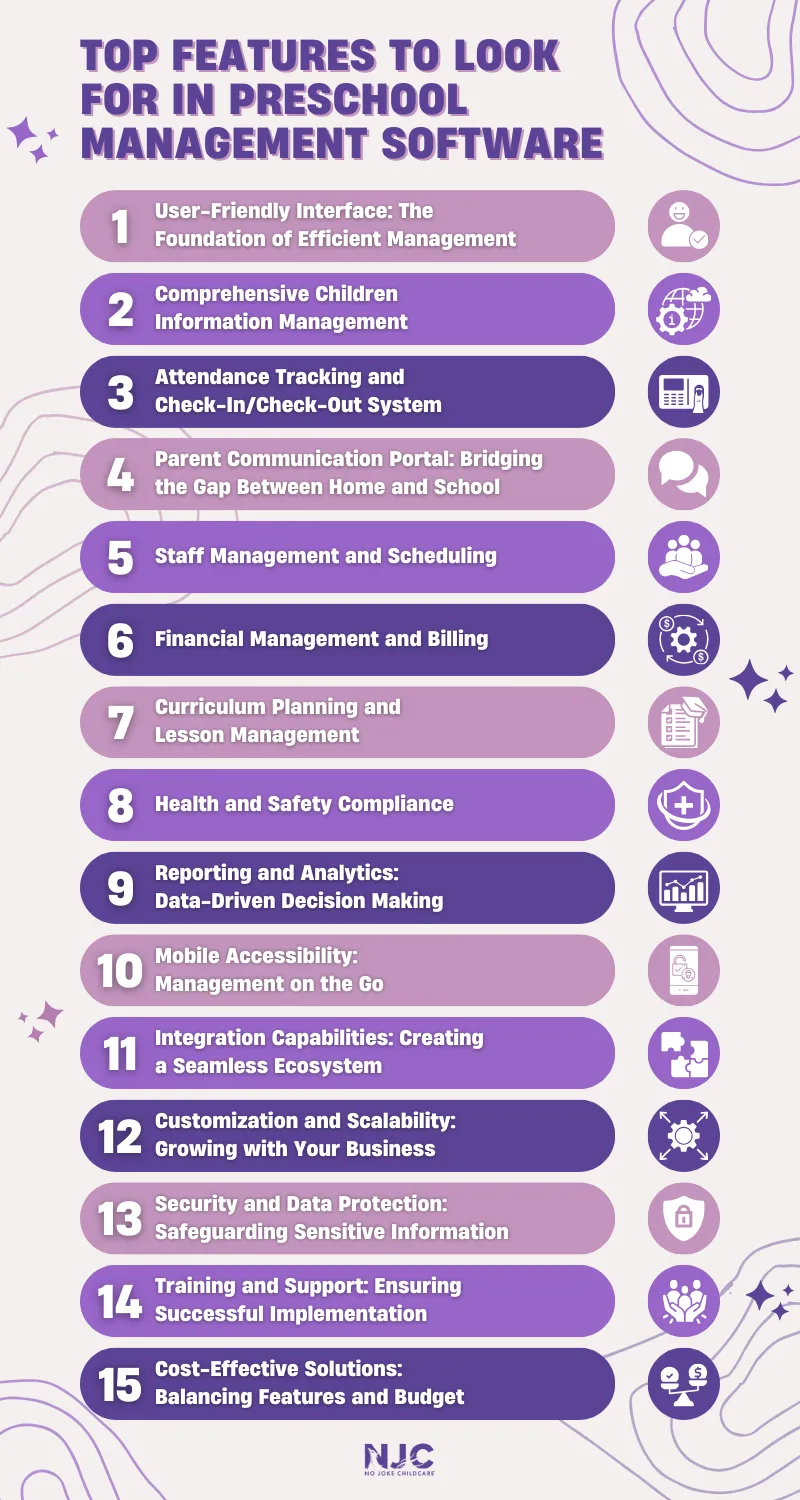
Top Features to Look for in Preschool Management Software

When evaluating the best preschool management software for your center, consider these essential features:

1. User-Friendly Interface: The Foundation of Efficient Management

When it comes to preschool management software, ease of use is paramount. After all, you and your staff will be interacting with this system daily, so it needs to be intuitive and straightforward. The best preschool management software should have a clean, uncluttered interface that’s easy to navigate, even for those who aren’t particularly tech-savvy.

Look for software with a dashboard that provides a quick overview of important information, such as daily attendance, upcoming events, and pending tasks. This at-a-glance functionality can save you precious time and help you stay on top of your center’s operations.

2. Comprehensive Children Information Management

At the heart of any preschool management software is the ability to store and organize children information efficiently. This feature should go beyond basic contact details and include:

  • Medical information and allergies
  • Emergency contacts
  • Authorized pickup persons
  • Developmental milestones and progress reports
  • Attendance history

Having all this information readily available in one place can be a game-changer for your staff, allowing them to provide personalized care and quickly access critical information when needed.

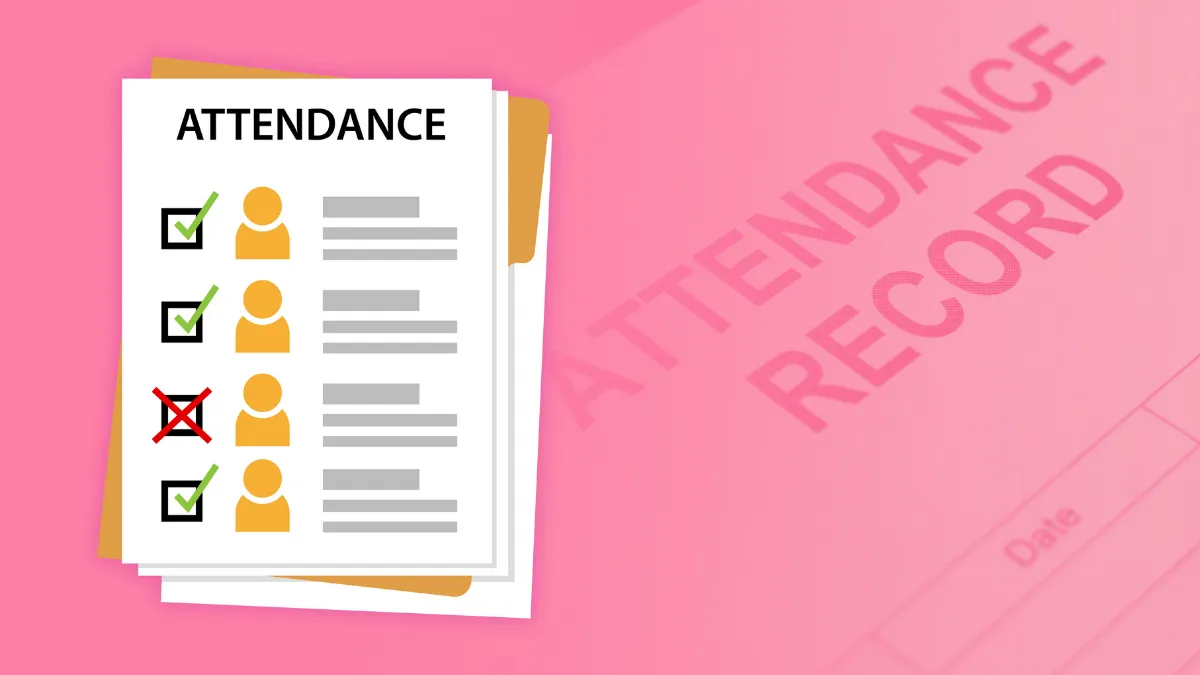
3. Attendance Tracking and Check-In/Check-Out System
free preschool management software

Accurate attendance tracking is crucial for both safety and billing purposes. Look for software that offers a robust check-in/check-out system, preferably with multiple options such as:

  • Digital sign-in tablets
  • QR code scanning
  • Biometric fingerprint recognition
  • PIN-based sign-in
  • Mobile app check-in for parents

Moreover, a comprehensive attendance tracking system should offer:

  • Automated late pickup fee calculation
  • Customizable attendance reports
  • Integration with billing systems for accurate invoicing
  • Ability to track staff attendance alongside children’s

These features not only streamline the process for parents but also provide an added layer of security by ensuring only authorized individuals can pick up children.

4. Parent Communication Portal: Bridging the Gap Between Home and School

In today’s connected world, parents expect to be kept in the loop about their child’s daily activities and progress. A parent communication portal is an essential feature that can set your daycare apart from the competition. The best preschool management software should include the following:

  • Real-time updates and notifications
  • Secure messaging between parents and staff
  • Photo and video-sharing capabilities
  • Daily reports on meals, naps, and activities

By providing parents with easy access to this information, you’ll build trust and strengthen your relationships with families.

5. Staff Management and Scheduling

Your staff is the backbone of your preschool and managing them effectively is crucial to your success. Look for software that includes:

  • Employee scheduling tools
  • Time clock functionality
  • Payroll integration
  • Performance tracking and evaluation features

These tools can help you optimize staffing levels, ensure compliance with child-to-staff ratio regulations, and streamline your payroll process.

6. Financial Management and Billing

Managing the financial aspects of your preschool can be complex, but the right software can make it much easier. Key features to look for include:

  • Automated billing and invoicing
  • Multiple payment options (credit card, ACH, etc.)
  • Late fee calculation and application
  • Subsidy and discount management
  • Financial reporting and analytics

By automating these processes, you’ll save time, reduce errors, and improve your cash flow.

7. Curriculum Planning and Lesson Management

To provide the best possible education for the children in your care, you need tools that support curriculum planning and implementation. Look for software that offers:

  • Customizable lesson plan templates
  • Activity libraries and resources
  • Learning outcome tracking
  • Integration with popular educational frameworks

These features can help your teachers create engaging, age-appropriate activities and ensure that children are meeting developmental milestones.

8. Health and Safety Compliance

In the wake of recent global events, health and safety have become more important than ever in childcare settings. The best preschool management software should include features that help you maintain a safe environment, such as:

  • Digital health check forms
  • Medication administration tracking
  • Learning outcome tracking
  • Integration with popular educational frameworks
  • Allergy alerts and dietary restriction management

Having these tools at your fingertips can help you quickly respond to health concerns and demonstrate your commitment to child safety to parents and regulators alike.

9. Reporting and Analytics: Data-Driven Decision Making

To grow your business and continuously improve your services, you need access to meaningful data and insights. Look for software that provides comprehensive reporting and analytics capabilities, including:

  • Enrollment trends and projections
  • Financial performance metrics
  • Staff productivity analysis
  • Parent satisfaction surveys

By leveraging these insights, you can make informed decisions about everything from staffing levels to marketing strategies.

10. Mobile Accessibility: Management on the Go

In today’s fast-paced world, you need to be able to manage your preschool from anywhere. Cloud-based preschool management software that offers mobile accessibility is a must-have feature. Look for solutions that provide:

  • Mobile apps for both iOS and Android devices
  • Responsive web design for access from any browser
  • Offline functionality for essential features

With mobile access, you can stay connected to your center’s operations even when you’re not on-site, giving you greater flexibility and peace of mind.

11. Integration Capabilities: Creating a Seamless Ecosystem

Your preschool management software shouldn’t exist in isolation. To maximize efficiency, look for solutions that can integrate with other tools and systems you use, such as:

  • Accounting software (e.g., QuickBooks)
  • Learning management systems
  • State reporting systems
  • Background check services

These integrations can help reduce data entry, minimize errors, and create a more seamless workflow across your entire operation.

12. Customization and Scalability: Growing with Your Business

Every preschool is unique, and your management software should be able to adapt to your specific needs. Look for solutions that offer:

  • Customizable fields and forms
  • Flexible reporting options
  • The ability to add or remove modules as needed
  • Scalability to accommodate growth in enrollment and multiple locations

By choosing software that can grow and adapt with your business, you can avoid the need to switch systems as your center expands.

13. Security and Data Protection: Safeguarding Sensitive Information

When dealing with children’s personal information, security is paramount. Ensure that any software you consider has robust security features, including:

  • Data encryption (both in transit and at rest)
  • Regular backups
  • Role-based access controls
  • Compliance with data protection regulations (e.g., GDPR, COPPA)

By prioritizing security, you’ll protect your center from data breaches and build trust with parents and staff.

14. Training and Support: Ensuring Successful Implementation

Even the best preschool management software can fall short if it’s not properly implemented and utilized. Look for providers that offer:

  • Comprehensive onboarding and training programs
  • Ongoing technical support (ideally 24/7)
  • Regular software updates and improvements
  • A knowledge base or help center for self-service support

Good training and support can make the difference between a successful implementation and a frustrating experience for you and your staff.

15. Cost-Effective Solutions: Balancing Features and Budget

While it’s essential to invest in quality software, you also need to consider your budget. The good news is that there are options available for centers of all sizes and budgets, including some free preschool management software solutions. When evaluating costs, consider:

  • Upfront fees vs. monthly subscriptions
  • Per-child or per-staff pricing models
  • Additional costs for premium features or support
  • The potential return on investment in terms of time saved and increased enrollment

Remember that while free preschool management software can be a good starting point, paid solutions often offer more comprehensive features and better support, which can be crucial as your center grows.
preschool management software

Conclusion

Selecting the right preschool management software is a critical decision that can significantly impact your center’s efficiency and success. By focusing on these essential features, you’ll be well-equipped to choose a choose a management solution that meets your needs and helps your business thrive.

Ready to take your center to the next level? Schedule a free strategy call with No Joke Childcare today and let our experts unlock your preschool’s full potential!

Do you want
more traffic?

Stop wasting money and unlock the hidden potential of your advertising.

Are you using Google Ads

Try our new free ads grader?

Boost your childcare center's ROI with Michael Tasner, Founder of No Joke Childcare. With his extensive experience and expertise in childcare marketing, Michael Tasner offers innovative strategies tailored to the unique needs of your center. From web 3.0 marketing to social media strategies, he'll guide you to achieve maximum visibility and generate quality leads. Don't miss out on this opportunity to supercharge your marketing efforts and position your center for success.

About Michael Tasner

Hey, I'm Michael Tasner. I'm determined to make your childcare center grow. My only question is, will it be yours?

Categories
preschool management software
Published On: 07/01/20247.6 min readViews: 1614

As a preschool owner, you’re always looking for ways to streamline your operations and provide the best possible experience for children, parents, and staff. One of the most effective tools at your disposal is preschool management software. But with so many options available, how do you choose the right one for your center?

In this guide, we’ll explore fifteen essential features that the best preschool management software should offer to help boost your business and make your life easier.

Why Do Preschools Need Management Software?

Preschools and daycare centers face unique challenges in today’s fast-paced, technology-driven world. Managing a preschool involves juggling multiple responsibilities, from children enrollment and attendance tracking to curriculum planning and financial management.

Here’s why investing in preschool management software is crucial:

  • Increased Efficiency: Automate time-consuming tasks, allowing staff to focus more on childcare and education.

  • Improved Communication: Facilitate better interaction between staff and parents, enhancing overall satisfaction.

  • Enhanced Safety: Maintain accurate records of attendance, allergies, and authorized pickups, ensuring children’s safety.

  • Streamlined Financial Management: Simplify billing, payments, and financial reporting for better fiscal health.

  • Better Compliance: Easily maintain and access records required for licensing and regulatory compliance.

  • Data-Driven Decision Making: Gain insights from reports and analytics to make informed choices about your preschool’s operations and growth.

By leveraging the power of preschool management software, you can transform your operations, improve service quality, and position your center for long-term success.

Top Features to Look for in Preschool Management Software

When evaluating the best preschool management software for your center, consider these essential features:

1. User-Friendly Interface: The Foundation of Efficient Management

When it comes to preschool management software, ease of use is paramount. After all, you and your staff will be interacting with this system daily, so it needs to be intuitive and straightforward. The best preschool management software should have a clean, uncluttered interface that’s easy to navigate, even for those who aren’t particularly tech-savvy.

Look for software with a dashboard that provides a quick overview of important information, such as daily attendance, upcoming events, and pending tasks. This at-a-glance functionality can save you precious time and help you stay on top of your center’s operations.

2. Comprehensive Children Information Management

At the heart of any preschool management software is the ability to store and organize children information efficiently. This feature should go beyond basic contact details and include:

  • Medical information and allergies
  • Emergency contacts
  • Authorized pickup persons
  • Developmental milestones and progress reports
  • Attendance history

Having all this information readily available in one place can be a game-changer for your staff, allowing them to provide personalized care and quickly access critical information when needed.

3. Attendance Tracking and Check-In/Check-Out System

free preschool management software

Accurate attendance tracking is crucial for both safety and billing purposes. Look for software that offers a robust check-in/check-out system, preferably with multiple options such as:

  • Digital sign-in tablets
  • QR code scanning
  • Biometric fingerprint recognition
  • PIN-based sign-in
  • Mobile app check-in for parents

Moreover, a comprehensive attendance tracking system should offer:

  • Automated late pickup fee calculation
  • Customizable attendance reports
  • Integration with billing systems for accurate invoicing
  • Ability to track staff attendance alongside children’s

These features not only streamline the process for parents but also provide an added layer of security by ensuring only authorized individuals can pick up children.

4. Parent Communication Portal: Bridging the Gap Between Home and School

In today’s connected world, parents expect to be kept in the loop about their child’s daily activities and progress. A parent communication portal is an essential feature that can set your daycare apart from the competition. The best preschool management software should include the following:

  • Real-time updates and notifications
  • Secure messaging between parents and staff
  • Photo and video-sharing capabilities
  • Daily reports on meals, naps, and activities

By providing parents with easy access to this information, you’ll build trust and strengthen your relationships with families.

5. Staff Management and Scheduling

Your staff is the backbone of your preschool and managing them effectively is crucial to your success. Look for software that includes:

  • Employee scheduling tools
  • Time clock functionality
  • Payroll integration
  • Performance tracking and evaluation features

These tools can help you optimize staffing levels, ensure compliance with child-to-staff ratio regulations, and streamline your payroll process.

6. Financial Management and Billing

Managing the financial aspects of your preschool can be complex, but the right software can make it much easier. Key features to look for include:

  • Automated billing and invoicing
  • Multiple payment options (credit card, ACH, etc.)
  • Late fee calculation and application
  • Subsidy and discount management
  • Financial reporting and analytics

By automating these processes, you’ll save time, reduce errors, and improve your cash flow.

7. Curriculum Planning and Lesson Management

To provide the best possible education for the children in your care, you need tools that support curriculum planning and implementation. Look for software that offers:

  • Customizable lesson plan templates
  • Activity libraries and resources
  • Learning outcome tracking
  • Integration with popular educational frameworks

These features can help your teachers create engaging, age-appropriate activities and ensure that children are meeting developmental milestones.

8. Health and Safety Compliance

In the wake of recent global events, health and safety have become more important than ever in childcare settings. The best preschool management software should include features that help you maintain a safe environment, such as:

  • Digital health check forms
  • Medication administration tracking
  • Learning outcome tracking
  • Integration with popular educational frameworks
  • Allergy alerts and dietary restriction management

Having these tools at your fingertips can help you quickly respond to health concerns and demonstrate your commitment to child safety to parents and regulators alike.

9. Reporting and Analytics: Data-Driven Decision Making

To grow your business and continuously improve your services, you need access to meaningful data and insights. Look for software that provides comprehensive reporting and analytics capabilities, including:

  • Enrollment trends and projections
  • Financial performance metrics
  • Staff productivity analysis
  • Parent satisfaction surveys

By leveraging these insights, you can make informed decisions about everything from staffing levels to marketing strategies.

10. Mobile Accessibility: Management on the Go

In today’s fast-paced world, you need to be able to manage your preschool from anywhere. Cloud-based preschool management software that offers mobile accessibility is a must-have feature. Look for solutions that provide:

  • Mobile apps for both iOS and Android devices
  • Responsive web design for access from any browser
  • Offline functionality for essential features

With mobile access, you can stay connected to your center’s operations even when you’re not on-site, giving you greater flexibility and peace of mind.

11. Integration Capabilities: Creating a Seamless Ecosystem

Your preschool management software shouldn’t exist in isolation. To maximize efficiency, look for solutions that can integrate with other tools and systems you use, such as:

  • Accounting software (e.g., QuickBooks)
  • Learning management systems
  • State reporting systems
  • Background check services

These integrations can help reduce data entry, minimize errors, and create a more seamless workflow across your entire operation.

12. Customization and Scalability: Growing with Your Business

Every preschool is unique, and your management software should be able to adapt to your specific needs. Look for solutions that offer:

  • Customizable fields and forms
  • Flexible reporting options
  • The ability to add or remove modules as needed
  • Scalability to accommodate growth in enrollment and multiple locations

By choosing software that can grow and adapt with your business, you can avoid the need to switch systems as your center expands.

13. Security and Data Protection: Safeguarding Sensitive Information

When dealing with children’s personal information, security is paramount. Ensure that any software you consider has robust security features, including:

  • Data encryption (both in transit and at rest)
  • Regular backups
  • Role-based access controls
  • Compliance with data protection regulations (e.g., GDPR, COPPA)

By prioritizing security, you’ll protect your center from data breaches and build trust with parents and staff.

14. Training and Support: Ensuring Successful Implementation

Even the best preschool management software can fall short if it’s not properly implemented and utilized. Look for providers that offer:

  • Comprehensive onboarding and training programs
  • Ongoing technical support (ideally 24/7)
  • Regular software updates and improvements
  • A knowledge base or help center for self-service support

Good training and support can make the difference between a successful implementation and a frustrating experience for you and your staff.

15. Cost-Effective Solutions: Balancing Features and Budget

While it’s essential to invest in quality software, you also need to consider your budget. The good news is that there are options available for centers of all sizes and budgets, including some free preschool management software solutions. When evaluating costs, consider:

  • Upfront fees vs. monthly subscriptions
  • Per-child or per-staff pricing models
  • Additional costs for premium features or support
  • The potential return on investment in terms of time saved and increased enrollment

Remember that while free preschool management software can be a good starting point, paid solutions often offer more comprehensive features and better support, which can be crucial as your center grows.

preschool management software

Conclusion

Selecting the right preschool management software is a critical decision that can significantly impact your center’s efficiency and success. By focusing on these essential features, you’ll be well-equipped to choose a choose a management solution that meets your needs and helps your business thrive.

Ready to take your center to the next level? Schedule a free strategy call with No Joke Childcare today and let our experts unlock your preschool’s full potential!

preschool management software
Published On: 07/01/20247.6 min readViews: 1614

As a preschool owner, you’re always looking for ways to streamline your operations and provide the best possible experience for children, parents, and staff. One of the most effective tools at your disposal is preschool management software. But with so many options available, how do you choose the right one for your center?

In this guide, we’ll explore fifteen essential features that the best preschool management software should offer to help boost your business and make your life easier.

Why Do Preschools Need Management Software?

Preschools and daycare centers face unique challenges in today’s fast-paced, technology-driven world. Managing a preschool involves juggling multiple responsibilities, from children enrollment and attendance tracking to curriculum planning and financial management.

Here’s why investing in preschool management software is crucial:

  • Increased Efficiency: Automate time-consuming tasks, allowing staff to focus more on childcare and education.

  • Improved Communication: Facilitate better interaction between staff and parents, enhancing overall satisfaction.

  • Enhanced Safety: Maintain accurate records of attendance, allergies, and authorized pickups, ensuring children’s safety.

  • Streamlined Financial Management: Simplify billing, payments, and financial reporting for better fiscal health.

  • Better Compliance: Easily maintain and access records required for licensing and regulatory compliance.

  • Data-Driven Decision Making: Gain insights from reports and analytics to make informed choices about your preschool’s operations and growth.

By leveraging the power of preschool management software, you can transform your operations, improve service quality, and position your center for long-term success.

Top Features to Look for in Preschool Management Software

When evaluating the best preschool management software for your center, consider these essential features:

1. User-Friendly Interface: The Foundation of Efficient Management

When it comes to preschool management software, ease of use is paramount. After all, you and your staff will be interacting with this system daily, so it needs to be intuitive and straightforward. The best preschool management software should have a clean, uncluttered interface that’s easy to navigate, even for those who aren’t particularly tech-savvy.

Look for software with a dashboard that provides a quick overview of important information, such as daily attendance, upcoming events, and pending tasks. This at-a-glance functionality can save you precious time and help you stay on top of your center’s operations.

2. Comprehensive Children Information Management

At the heart of any preschool management software is the ability to store and organize children information efficiently. This feature should go beyond basic contact details and include:

  • Medical information and allergies
  • Emergency contacts
  • Authorized pickup persons
  • Developmental milestones and progress reports
  • Attendance history

Having all this information readily available in one place can be a game-changer for your staff, allowing them to provide personalized care and quickly access critical information when needed.

3. Attendance Tracking and Check-In/Check-Out System

free preschool management software

Accurate attendance tracking is crucial for both safety and billing purposes. Look for software that offers a robust check-in/check-out system, preferably with multiple options such as:

  • Digital sign-in tablets
  • QR code scanning
  • Biometric fingerprint recognition
  • PIN-based sign-in
  • Mobile app check-in for parents

Moreover, a comprehensive attendance tracking system should offer:

  • Automated late pickup fee calculation
  • Customizable attendance reports
  • Integration with billing systems for accurate invoicing
  • Ability to track staff attendance alongside children’s

These features not only streamline the process for parents but also provide an added layer of security by ensuring only authorized individuals can pick up children.

4. Parent Communication Portal: Bridging the Gap Between Home and School

In today’s connected world, parents expect to be kept in the loop about their child’s daily activities and progress. A parent communication portal is an essential feature that can set your daycare apart from the competition. The best preschool management software should include the following:

  • Real-time updates and notifications
  • Secure messaging between parents and staff
  • Photo and video-sharing capabilities
  • Daily reports on meals, naps, and activities

By providing parents with easy access to this information, you’ll build trust and strengthen your relationships with families.

5. Staff Management and Scheduling

Your staff is the backbone of your preschool and managing them effectively is crucial to your success. Look for software that includes:

  • Employee scheduling tools
  • Time clock functionality
  • Payroll integration
  • Performance tracking and evaluation features

These tools can help you optimize staffing levels, ensure compliance with child-to-staff ratio regulations, and streamline your payroll process.

6. Financial Management and Billing

Managing the financial aspects of your preschool can be complex, but the right software can make it much easier. Key features to look for include:

  • Automated billing and invoicing
  • Multiple payment options (credit card, ACH, etc.)
  • Late fee calculation and application
  • Subsidy and discount management
  • Financial reporting and analytics

By automating these processes, you’ll save time, reduce errors, and improve your cash flow.

7. Curriculum Planning and Lesson Management

To provide the best possible education for the children in your care, you need tools that support curriculum planning and implementation. Look for software that offers:

  • Customizable lesson plan templates
  • Activity libraries and resources
  • Learning outcome tracking
  • Integration with popular educational frameworks

These features can help your teachers create engaging, age-appropriate activities and ensure that children are meeting developmental milestones.

8. Health and Safety Compliance

In the wake of recent global events, health and safety have become more important than ever in childcare settings. The best preschool management software should include features that help you maintain a safe environment, such as:

  • Digital health check forms
  • Medication administration tracking
  • Learning outcome tracking
  • Integration with popular educational frameworks
  • Allergy alerts and dietary restriction management

Having these tools at your fingertips can help you quickly respond to health concerns and demonstrate your commitment to child safety to parents and regulators alike.

9. Reporting and Analytics: Data-Driven Decision Making

To grow your business and continuously improve your services, you need access to meaningful data and insights. Look for software that provides comprehensive reporting and analytics capabilities, including:

  • Enrollment trends and projections
  • Financial performance metrics
  • Staff productivity analysis
  • Parent satisfaction surveys

By leveraging these insights, you can make informed decisions about everything from staffing levels to marketing strategies.

10. Mobile Accessibility: Management on the Go

In today’s fast-paced world, you need to be able to manage your preschool from anywhere. Cloud-based preschool management software that offers mobile accessibility is a must-have feature. Look for solutions that provide:

  • Mobile apps for both iOS and Android devices
  • Responsive web design for access from any browser
  • Offline functionality for essential features

With mobile access, you can stay connected to your center’s operations even when you’re not on-site, giving you greater flexibility and peace of mind.

11. Integration Capabilities: Creating a Seamless Ecosystem

Your preschool management software shouldn’t exist in isolation. To maximize efficiency, look for solutions that can integrate with other tools and systems you use, such as:

  • Accounting software (e.g., QuickBooks)
  • Learning management systems
  • State reporting systems
  • Background check services

These integrations can help reduce data entry, minimize errors, and create a more seamless workflow across your entire operation.

12. Customization and Scalability: Growing with Your Business

Every preschool is unique, and your management software should be able to adapt to your specific needs. Look for solutions that offer:

  • Customizable fields and forms
  • Flexible reporting options
  • The ability to add or remove modules as needed
  • Scalability to accommodate growth in enrollment and multiple locations

By choosing software that can grow and adapt with your business, you can avoid the need to switch systems as your center expands.

13. Security and Data Protection: Safeguarding Sensitive Information

When dealing with children’s personal information, security is paramount. Ensure that any software you consider has robust security features, including:

  • Data encryption (both in transit and at rest)
  • Regular backups
  • Role-based access controls
  • Compliance with data protection regulations (e.g., GDPR, COPPA)

By prioritizing security, you’ll protect your center from data breaches and build trust with parents and staff.

14. Training and Support: Ensuring Successful Implementation

Even the best preschool management software can fall short if it’s not properly implemented and utilized. Look for providers that offer:

  • Comprehensive onboarding and training programs
  • Ongoing technical support (ideally 24/7)
  • Regular software updates and improvements
  • A knowledge base or help center for self-service support

Good training and support can make the difference between a successful implementation and a frustrating experience for you and your staff.

15. Cost-Effective Solutions: Balancing Features and Budget

While it’s essential to invest in quality software, you also need to consider your budget. The good news is that there are options available for centers of all sizes and budgets, including some free preschool management software solutions. When evaluating costs, consider:

  • Upfront fees vs. monthly subscriptions
  • Per-child or per-staff pricing models
  • Additional costs for premium features or support
  • The potential return on investment in terms of time saved and increased enrollment

Remember that while free preschool management software can be a good starting point, paid solutions often offer more comprehensive features and better support, which can be crucial as your center grows.

preschool management software

Conclusion

Selecting the right preschool management software is a critical decision that can significantly impact your center’s efficiency and success. By focusing on these essential features, you’ll be well-equipped to choose a choose a management solution that meets your needs and helps your business thrive.

Ready to take your center to the next level? Schedule a free strategy call with No Joke Childcare today and let our experts unlock your preschool’s full potential!